Impossibly fast. Beautifully clear.

The Ultra-Fast, Transparent
Photo Viewer for Windows.

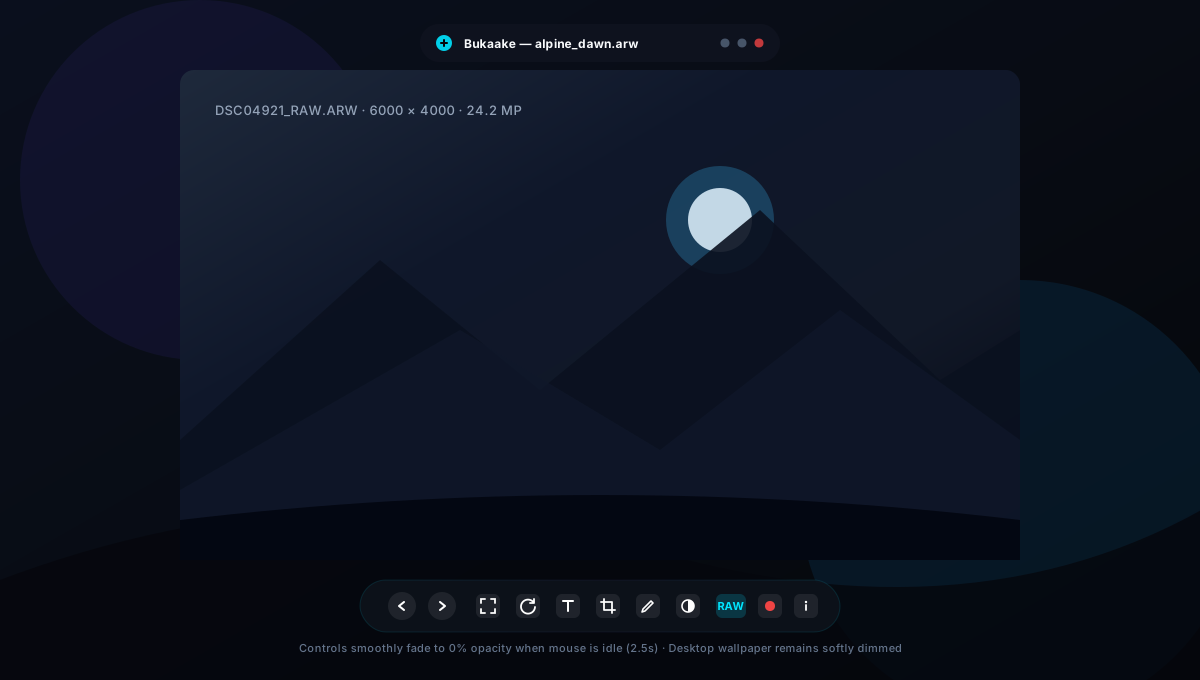
Reviving the desktop-immersive magic of classic Google Picasa Photo Viewer. Softly dimmed wallpaper background, elevated auto-hiding controls, and zero bulky borders.

Windows 10 / 11 Native ~8–15 MB Idle RAM GPL-3.0 Open Source
Bukaake Transparent Desktop Immersion Interface
Cultural Etymology Trivia

Did You Know? "Bukaake" Is An Authentic Javanese Word.

While internet culture might lead certain minds down another rabbit hole, Bukaake is an authentic, everyday Javanese phrase: derived from the root verb buka / bukak (to open) paired with the imperative causative suffix -ake (bukak-ake / bukaake). In Javanese (and "bukakan" in Indonesian), it translates literally to: "Open it up!" or "Open it for me."

It is a playful subversion and simultaneously the most honest, literal name possible for software whose sole mission is to open your high-resolution photos instantaneously without friction.

Why Most Windows Image Viewers Are Trash

Modern photo apps have abandoned their original purpose. Sluggish startup, intrusive telemetry, paid codec paywalls, and bloated webviews have ruined the simple joy of opening a photo.

Startup Latency
Typical Image Viewers

2 to 3 seconds of cold-launch delay while bloated webviews, cloud syncing services, and telemetry daemons spin up in the background.

Bukaake

Sub-10ms Instant Launch. Keeps pre-warmed in the system tray and trims its working-set memory down to ~8–15 MB RAM when idle.
Immersion & Chrome
Typical Image Viewers

Thick, bulky window borders and clunky persistent toolbars box your photos into dark boxes that choke your display.

Bukaake

Picasa-Style Transparency. Wallpaper softly dims with zero blur; photos occupy up to 75% screen height and chrome fades out on idle.

Codec Freedom
Typical Image Viewers

Forces you to pay $0.99 in the Microsoft Store just to open iPhone HEIC photos, and completely chokes on Camera RAW or OpenEXR files.

Bukaake

49+ Formats Built-In. Free hardware HEIC/HEIF, 24+ Camera RAW formats with Bayer unpack (Q), and 3D VFX HDR/EXR with zero external DLLs.

Privacy & Portability
Typical Image Viewers

Invasive usage telemetry, cloud backup nag banners, mandatory accounts, and 200MB+ installer footprints that scatter files everywhere.

Bukaake

Single ~5MB Portable Executable. 100% offline, zero telemetry, zero accounts. Run it from a USB drive and file associations heal automatically.

File Management
Typical Image Viewers

Awkward confirm popups for every photo, or permanently shredding files accidentally without proper system undo mechanisms.

Bukaake

Native Windows Recycle Bin. Press Delete to safely move bad shots to Trash, or Shift+Delete to shred. Restore anytime with zero anxiety.

Integrated Tooling
Typical Image Viewers

Forcing you to juggle separate apps for text OCR, screen recording, color picking, and basic markup.

Bukaake

All-in-One Studio. Vector text up to 600px, laser-guided crop, hardware 60 FPS screen recorder, native Windows OCR, and loupe color eyedropper.

Watch Bukaake In Motion

Experience the seamless sub-10ms responsiveness and borderless transparent workflow.

TEMPLATE: Replace the YouTube link above inside index.html with your video recording.

Engineered Without Compromise

From Rust and Tauri v2 to Direct3D 11 hardware capture pipelines, every millimeter is optimized for speed.

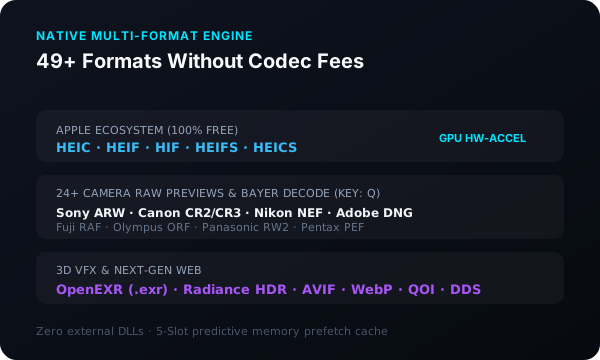
49+ Formats & Camera RAW

Free hardware-accelerated iPhone HEIC/HEIF, 24+ Camera RAW types (Sony ARW, Canon CR2/CR3, Nikon NEF, Adobe DNG), and 3D VFX textures (OpenEXR, Radiance HDR). Unpack uncompressed sensor Bayer data with Q.

HEIC / HEIF Camera RAW OpenEXR AVIF / WebP
49 Formats and Camera RAW Engine

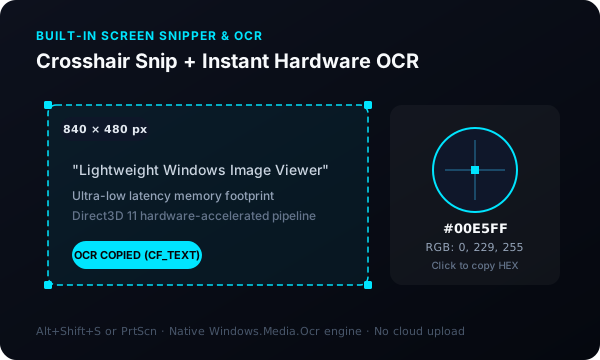
Precision Snipper & OCR

Instant multi-monitor crosshair capture. Extract on-screen text instantly with native Windows.Media.Ocr preserving line wraps. Zoom into exact pixel color codes with the 9x9 Loupe Eyedropper.

Crosshair Snip Native OCR Loupe Eyedropper Alt+Shift+S
Screen Snipper and OCR Tool

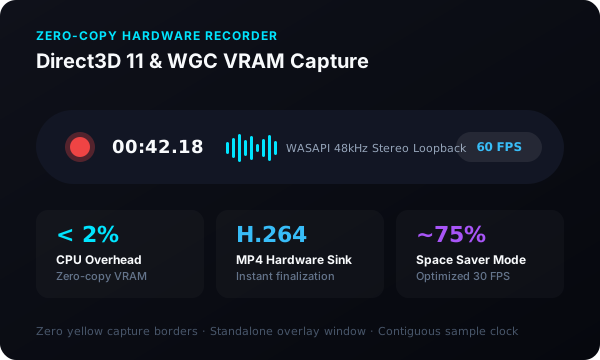
Hardware GPU Screen Recorder

Direct3D 11 and Windows Graphics Capture zero-copy pipeline directly in VRAM. Less than 2% CPU overhead. Mixes WASAPI system loopback and mic audio at 48kHz with contiguous sample clocks.

Zero-Copy VRAM 60 FPS / Space Saver WASAPI 48kHz Hardware H.264
Direct3D 11 Screen Recorder

Vector Typography, Markup & Crop

Add rich vector text overlays up to 600px with center-anchored scaling and 8-point handles. Fine-tune crops with magnetic laser guides snapping to center and edges. Draw sharp annotations with the translucent highlighter or pen, and pass photos directly to Alitken or text to Cathet.

Typography (T) Precision Crop (C) Pen & Highlighter (D) GPU Filters (E) Alitken & Cathet Bridges
Creative Markup and Typography Tools

Built For Fluid Muscle Memory

Keep your hands on the keyboard. Everything responds instantaneously.

Navigation & Zoom

Previous / Next Photo Left / Right
Picasa Anchored Zoom Up / Down
Cursor Zoom Mouse Wheel
Fit Image to Viewport F
100% Actual 1:1 Scale 1
Rotate 90° Clockwise . or R

Creative & Analysis

Typography & Text Tool T
Pen & Highlighter D
Laser-Guided Crop C
Full Sensor RAW Bayer Unpack Q
Camera EXIF Telemetry Drawer I
Commit Active Tool Changes Enter

Window & Capture

Screen Snip & Record Dock Alt+Shift+S
Safe Delete to Recycle Bin Delete
Permanent File Shred Shift+Del
Toggle Fullscreen Immersion F11
Copy Image / Paste Image Ctrl+C / Ctrl+V
Close / Minimize to Standby Esc

Get Bukaake Today

Single standalone executable. No installer, no registry residue, no cloud account required.

Windows x64

Intel & AMD 64-bit processors

  • Single portable file (~5 MB)
  • Windows 10 (1809+) & Windows 11
  • Direct3D 11 GPU acceleration
  • Auto background updater built-in
Download x64 (.exe)

Windows ARM64

Qualcomm Snapdragon X Elite & Surface Pro

  • Native ARM64 architecture
  • Optimized power efficiency
  • Direct3D 11 hardware capture
  • Single portable file (~5 MB)
Download ARM64 (.exe)